[ Scroll ↓ ]
Pawza - Global Pet Microchips
Project Duration
28/10/2024 - 15/12/2024
My Role
Product Designer
Share

My Process
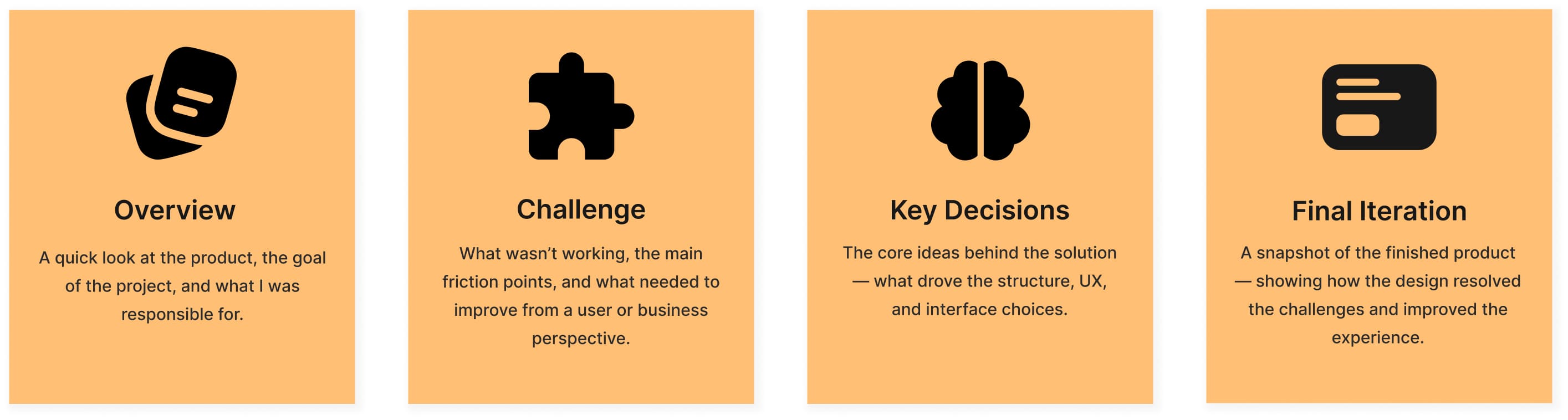
Every project is different, but I try to follow guidelines if time constraints allow, depending on the goals, problems to be solved, and available resources.


Project Brief
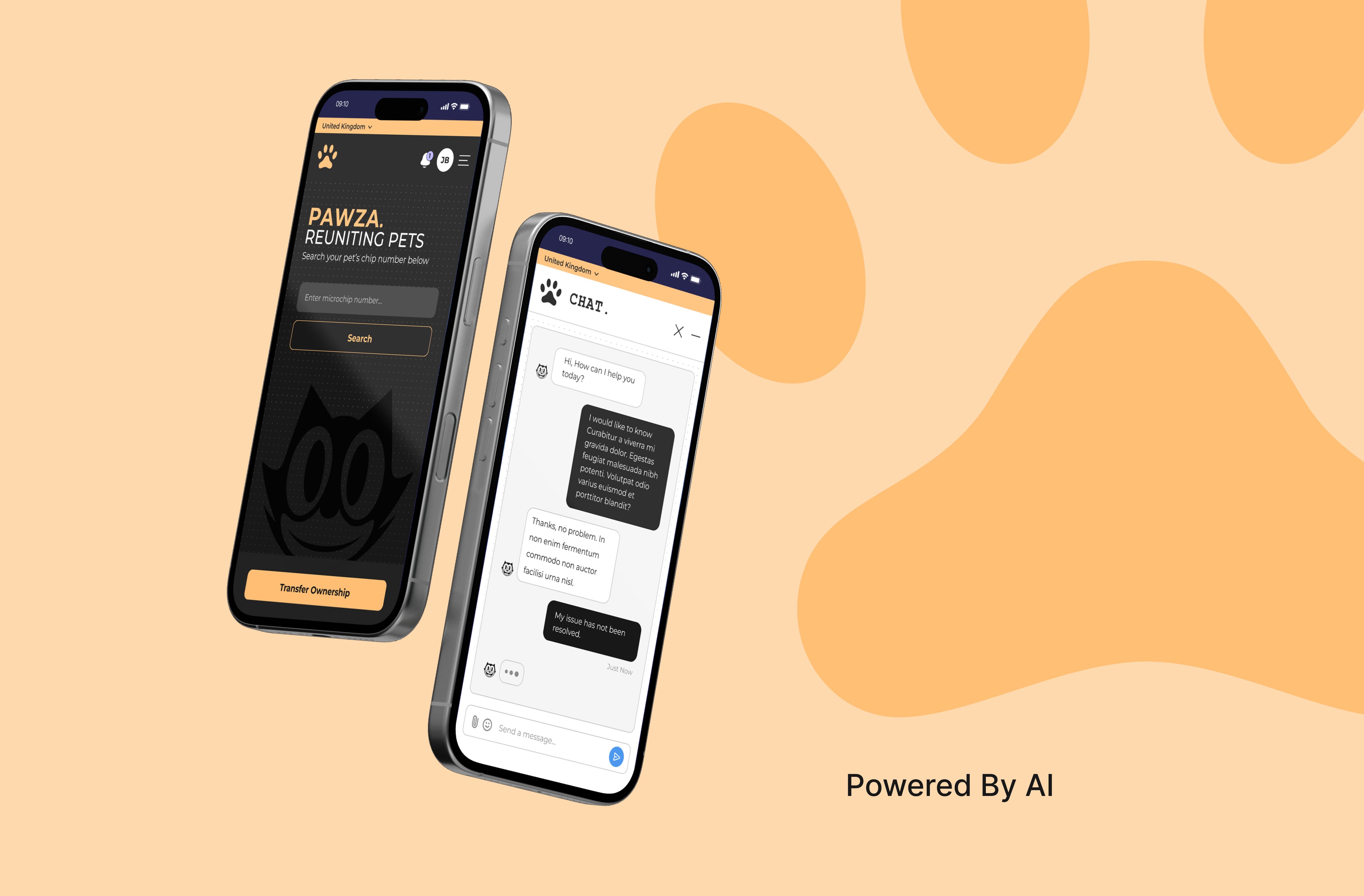
Pawza is a global platform for managing pet microchip data, designed to automate complex tasks like ownership transfers, dispute resolution, and chip registration. The platform operates without human support, relying on an AI-driven chatbot as the central point of interaction.
I was responsible for the end-to-end UX/UI design, creating a clean, accessible, and futuristic experience that could handle nuanced user journeys across various logged-in and public states.
My Responsibilities
As the sole designer on the project, I led:
UX Design: User journeys, flow mapping, chatbot interaction logic.
UI Design: Visual system, accessibility-focused styling, responsive layout.
AI Integration: Designing flows for chatbot-based support and automation.
Microinteractions: Subtle animations to humanize robotic processes.
The Goal
I set out to design a smooth, AI-powered experience that takes the headache out of complex pet microchip workflows. The focus was on making tricky processes like ownership transfers, disputes, and missing data feel simple and intuitive. I wanted the interface to adjust based on what each user needed in the moment, with an AI chat acting as the main guide through the platform. On top of that, I made sure the design was clean, minimal, and high-contrast so it would be accessible and easy for anyone to use.

The Problem
Managing pet microchip data is often frustrating — especially when users face disputes, missing or unregistered chips, or complex ownership transfers. Pawza aimed to solve this without any human support, relying entirely on an AI-driven system. This presented significant design constraints and high-stakes challenges across both UX and visual design.
The client’s brief required:
A fully inverted colour scheme (white text on black), with no accent colours
A site-wide Courier font and no standard UI conventions
A fully automated, chatbot-led experience that could replace a traditional call centre
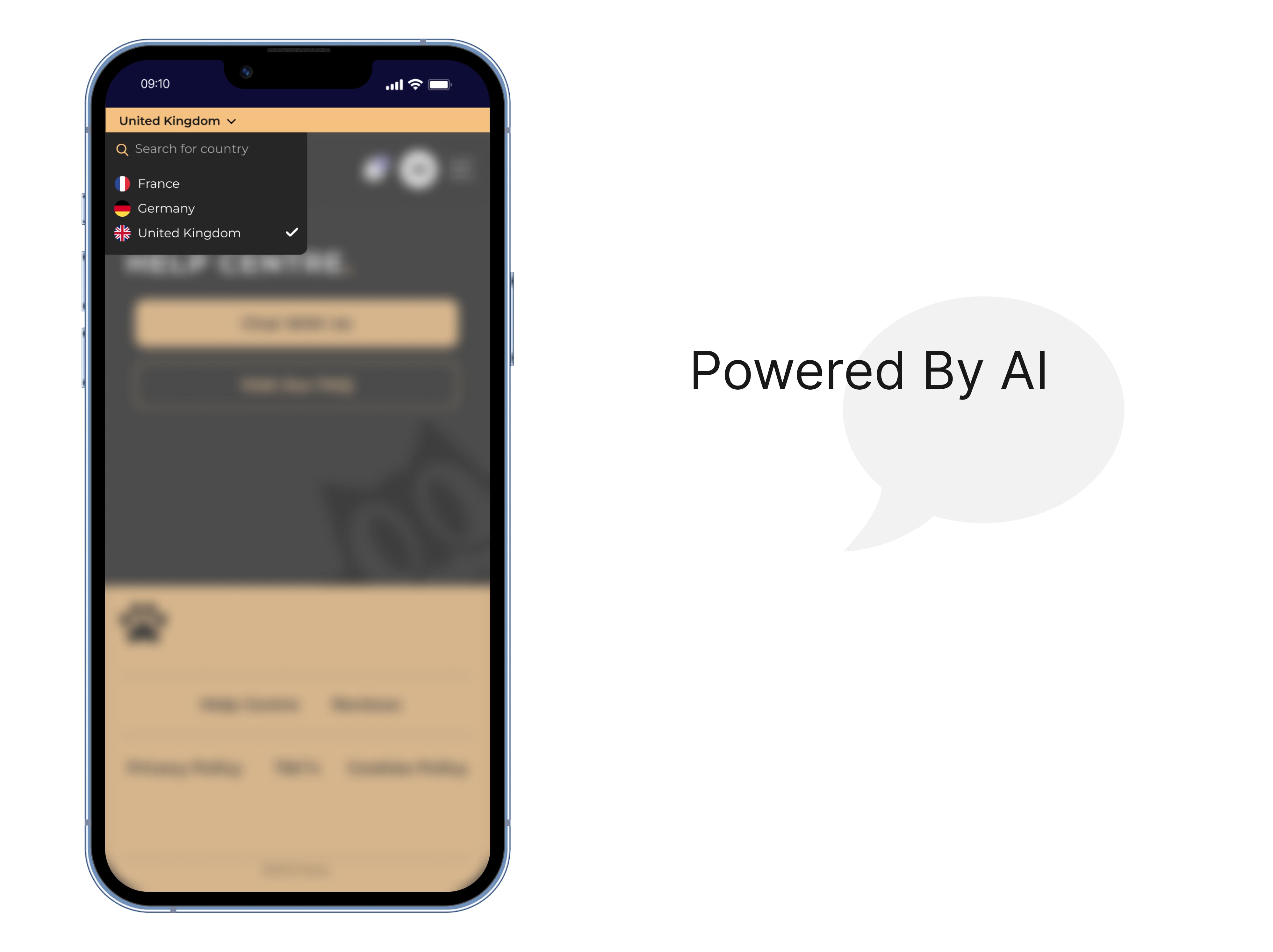
Global functionality with language defaults set by IP and manual overrides
Key design challenges included:
Accessibility & Visual Constraints: Making a high-contrast, inverted UI with Courier readable and usable across all devices, while maintaining a futuristic tone.
Complex Use Cases: Handling edge cases like ownership transfers (with or without consent), disputes, missing or unregistered chips, and clearly differentiating logged-in vs logged-out experiences.
AI-First Navigation: Designing intuitive, chatbot-driven flows that could guide users through high-stress scenarios without live support.
Global Reach: Creating a consistent, localized experience that adapted to user location by default, but still allowed for manual control of language preferences.
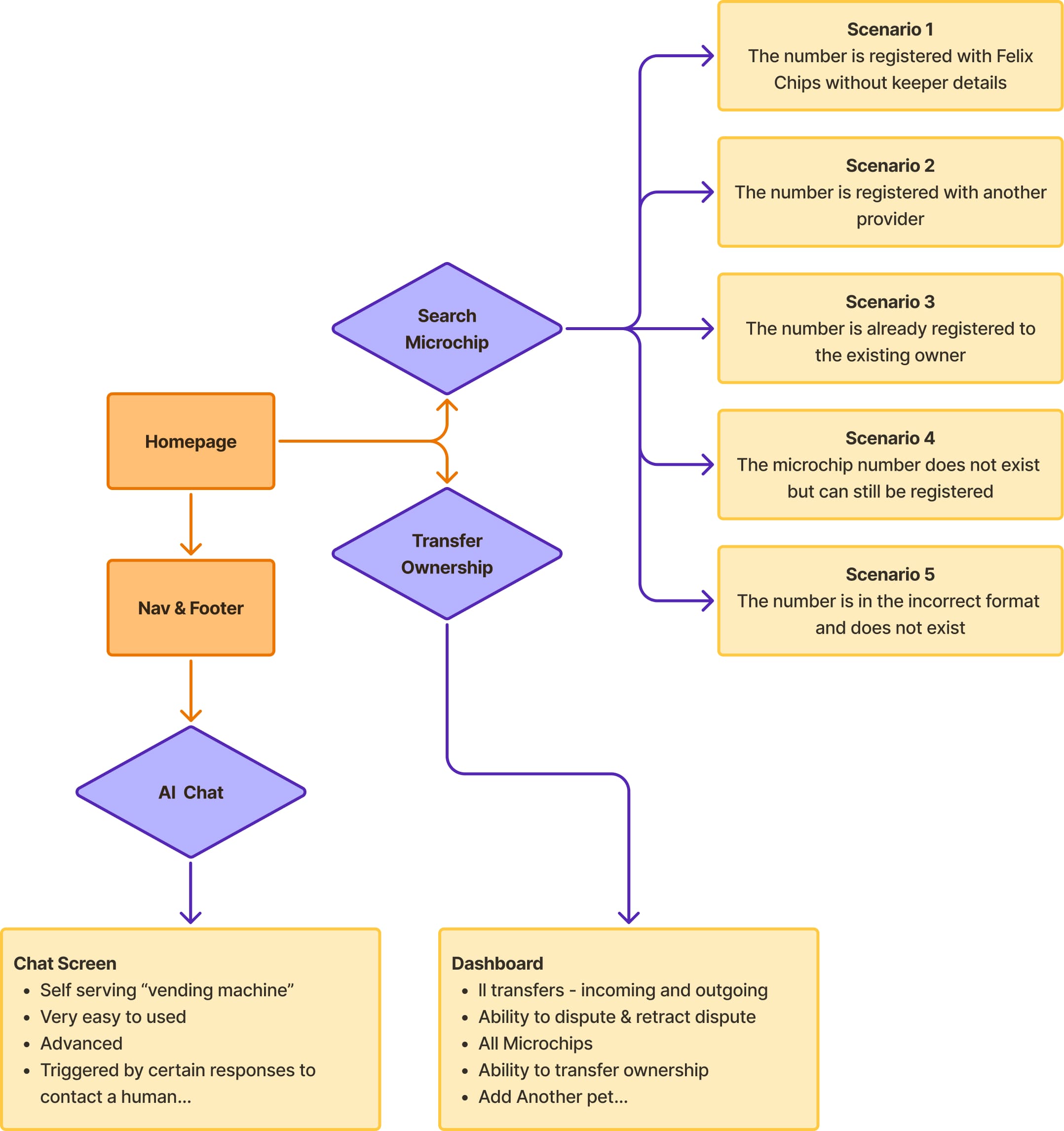
[ Main Features Flow ]
Understanding the Users
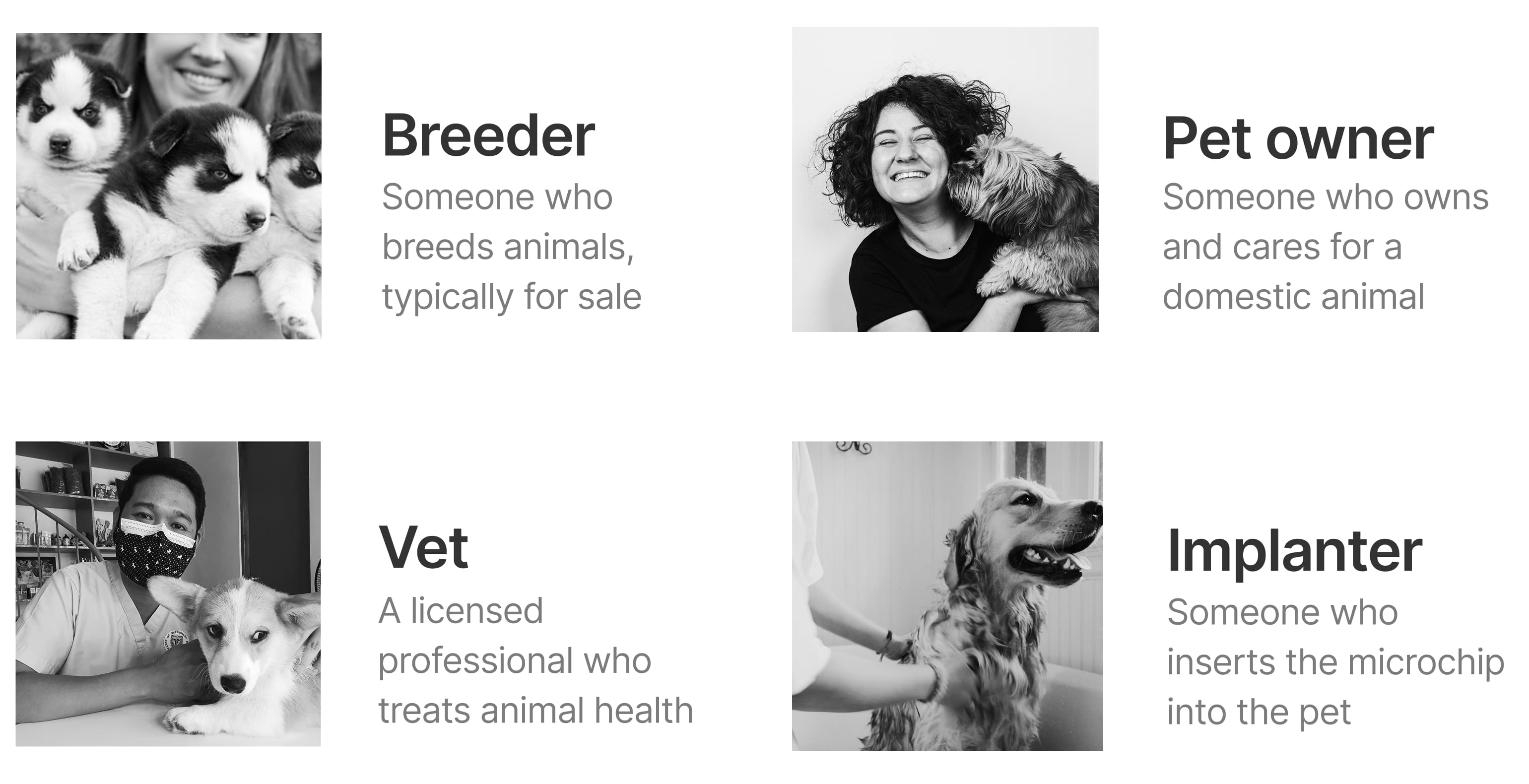
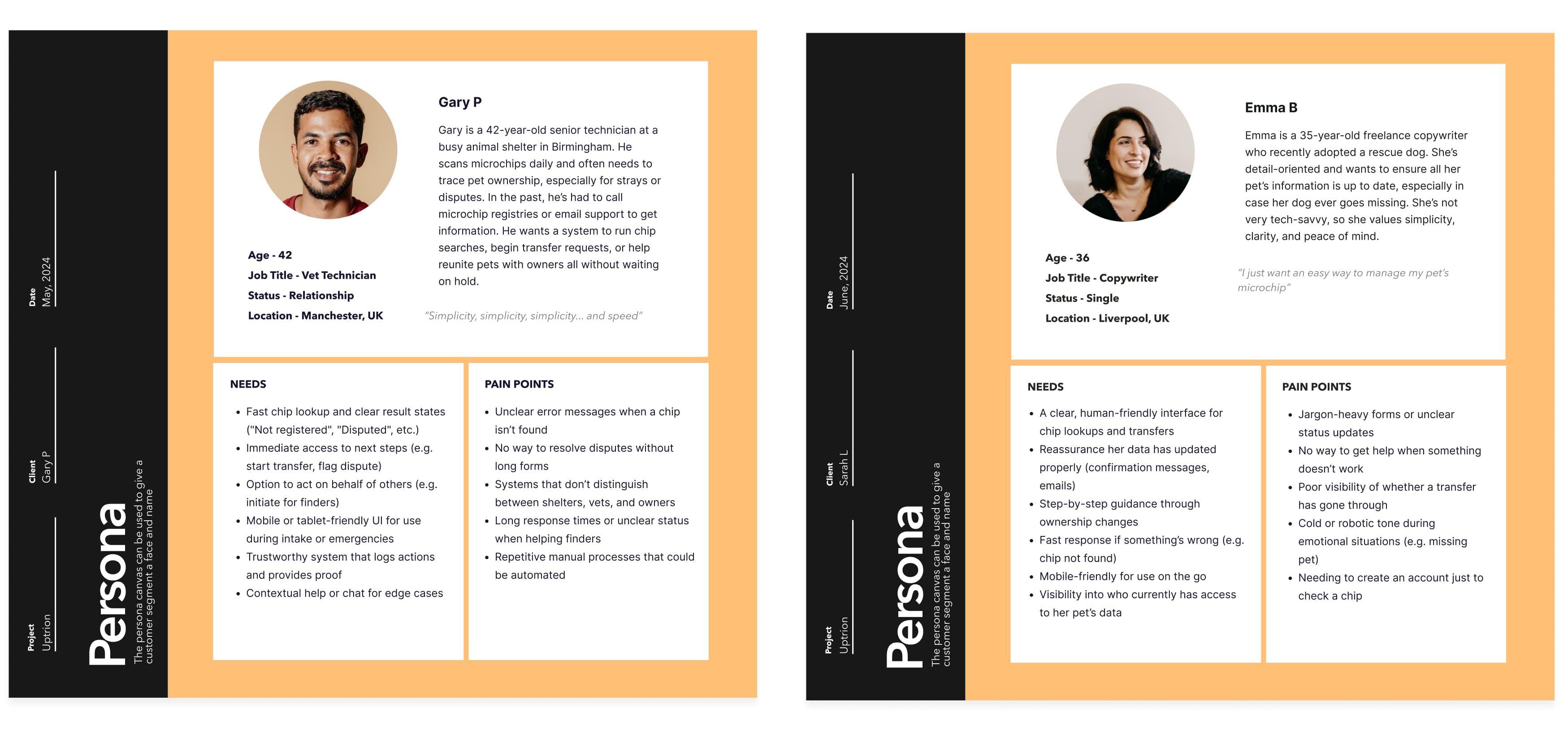
Before defining solutions, I created user personas representing the most common and critical user types. These guided decisions across interface design, content tone, and flow logic.
[ 4 Main Types Of User ]
[ Personas ]

Visual Language & Accessibility
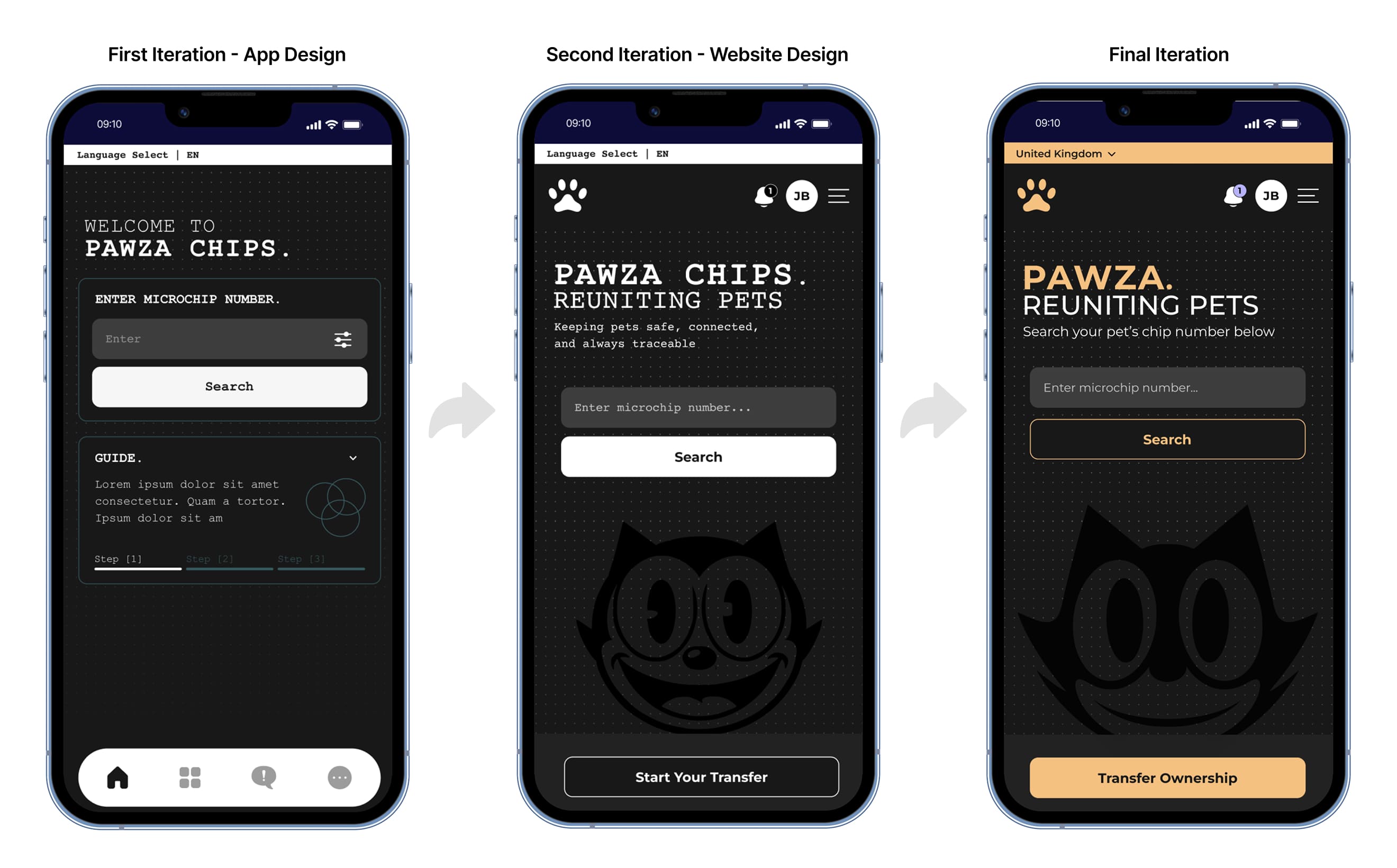
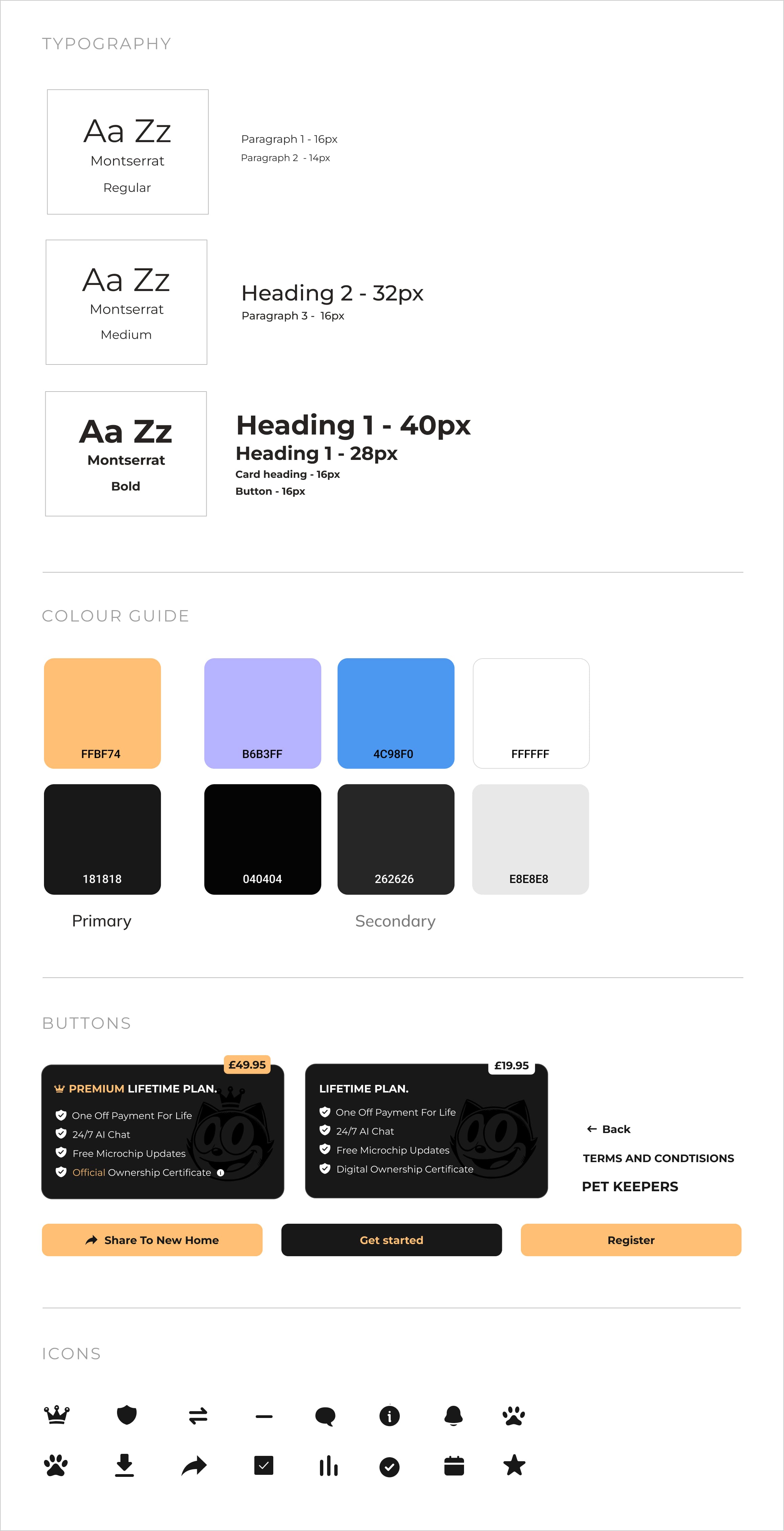
Initially, the design leaned heavily into the client's request for a Courier font and stark black-and-white interface, but I reworked the visual approach to introduce Montserrat, a more modern, accessible font. This choice balanced futuristic design with usability, ensuring the platform remained approachable and easy to read. I also implemented subtle contrasts and light touches of color to reduce visual fatigue.
Client Pivot
Initially scoped as a mobile app, the client later pivoted to a responsive website, requiring a full rethink of layout, navigation, and interaction patterns to suit both touch and desktop environments.
Logged in States
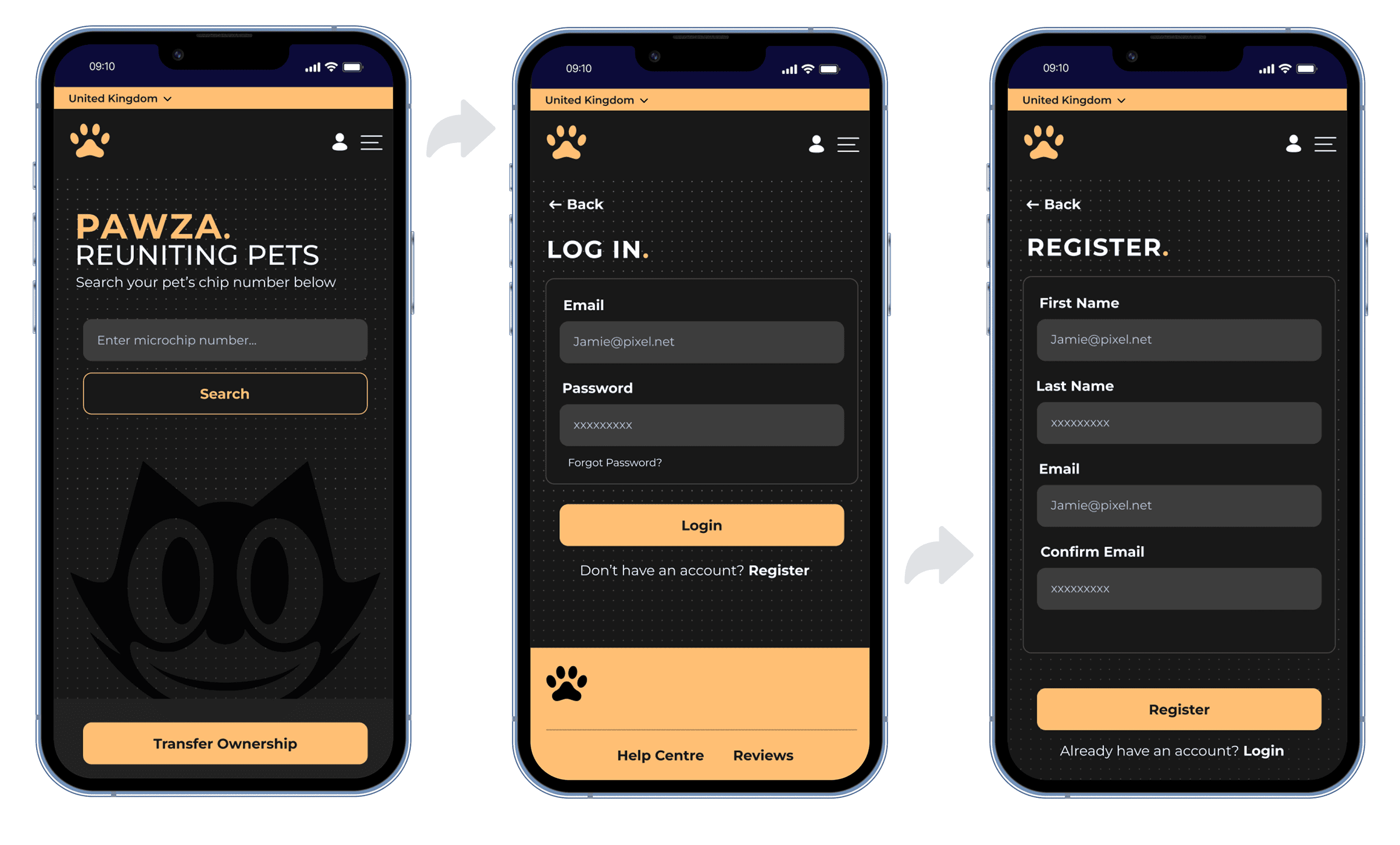
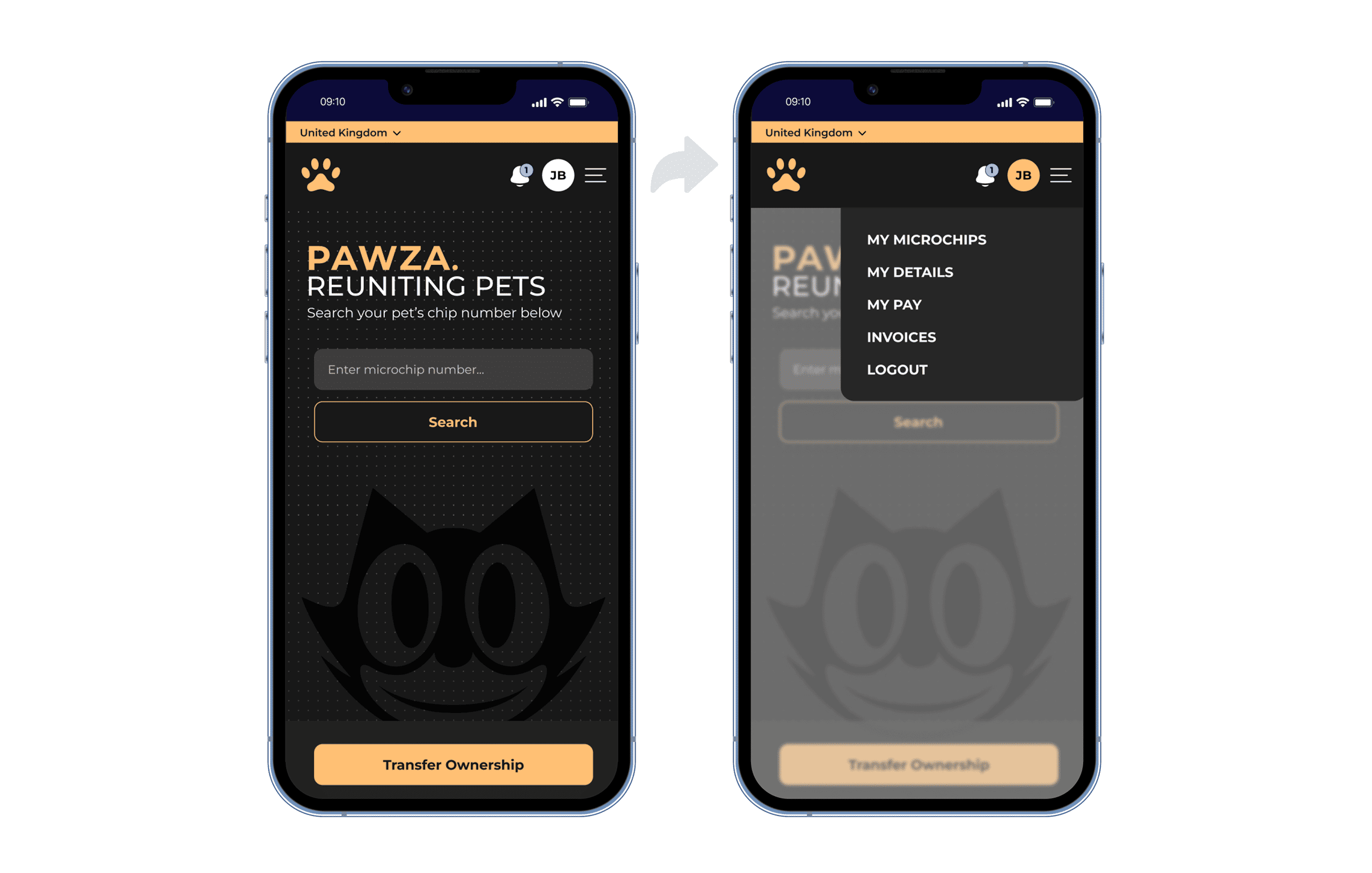
Logged-in states are clearly distinguished, offering users a contextual experience based on their status (finder, owner, logged in, logged out).
[ Logged Out Flow ]
[ Logged In Flow ]
Designing for Complexity
The platform's complex functionality required layered design flows for chip searches, ownership transfers, and dispute resolution. Each process had multiple edge cases, requiring dynamic UI elements that could change based on user context (logged-in, finder, owner, missing chip, etc.). I used modular interface components to ensure the platform adapted based on user status, maintaining clarity and usability.
[ Request Transfer Flow ]
AI-Driven Experience
The chatbot became the central interaction point, guiding users through different scenarios like ownership claims and dispute resolutions. I mapped interaction flows triggered by user input, enabling the AI to take actions based on intent and direct users to resolutions without requiring human intervention.
[ Help Centre Flow ]
Microinteractions & Motion
To make the robotic processes feel more human, I introduced subtle animations throughout the interface. These microinteractions helped soften transitions between complex tasks, making the platform feel more fluid and less “cold.” The goal was to create a futuristic experience that didn’t feel mechanical.
[ Guide & Chip Search ]

Summary
The final iteration of Pawza brought together all core design decisions into a clean, responsive interface that balanced futuristic aesthetics with usability. I refined the chatbot interactions, clarified user states across complex scenarios, and introduced subtle animations to create a smooth, human-like flow. Visual accessibility was improved through adjusted contrast and a hybrid font system, ensuring the inverted UI remained readable and inclusive. The platform now delivers a fully automated, globally accessible experience for managing pet microchip data without human support.
Outcome & Results
Compared to the earliest prototypes, the final version of the platform delivered a major leap in usability and clarity. User testing showed a 35% drop in task abandonment and a clear improvement in navigation success across both logged-in and public flows. The conversational interface became far more intuitive, with over 80% of users completing journeys without needing live support, a core goal of the project.
Style Guide
This is a style guide for Pawza mobile site. This style guide contains colours, typography, buttons, input fields and icons:
What I Learned
Pawza taught me how to design within extreme constraints without sacrificing usability. Working with a rigid visual brief, no standard UI conventions, and complex, high-stakes user flows pushed me to think modularly and prioritize clarity at every turn. It also deepened my experience designing conversational interfaces and highlighted the importance of balancing innovation with accessibility, especially when replacing human support with AI.
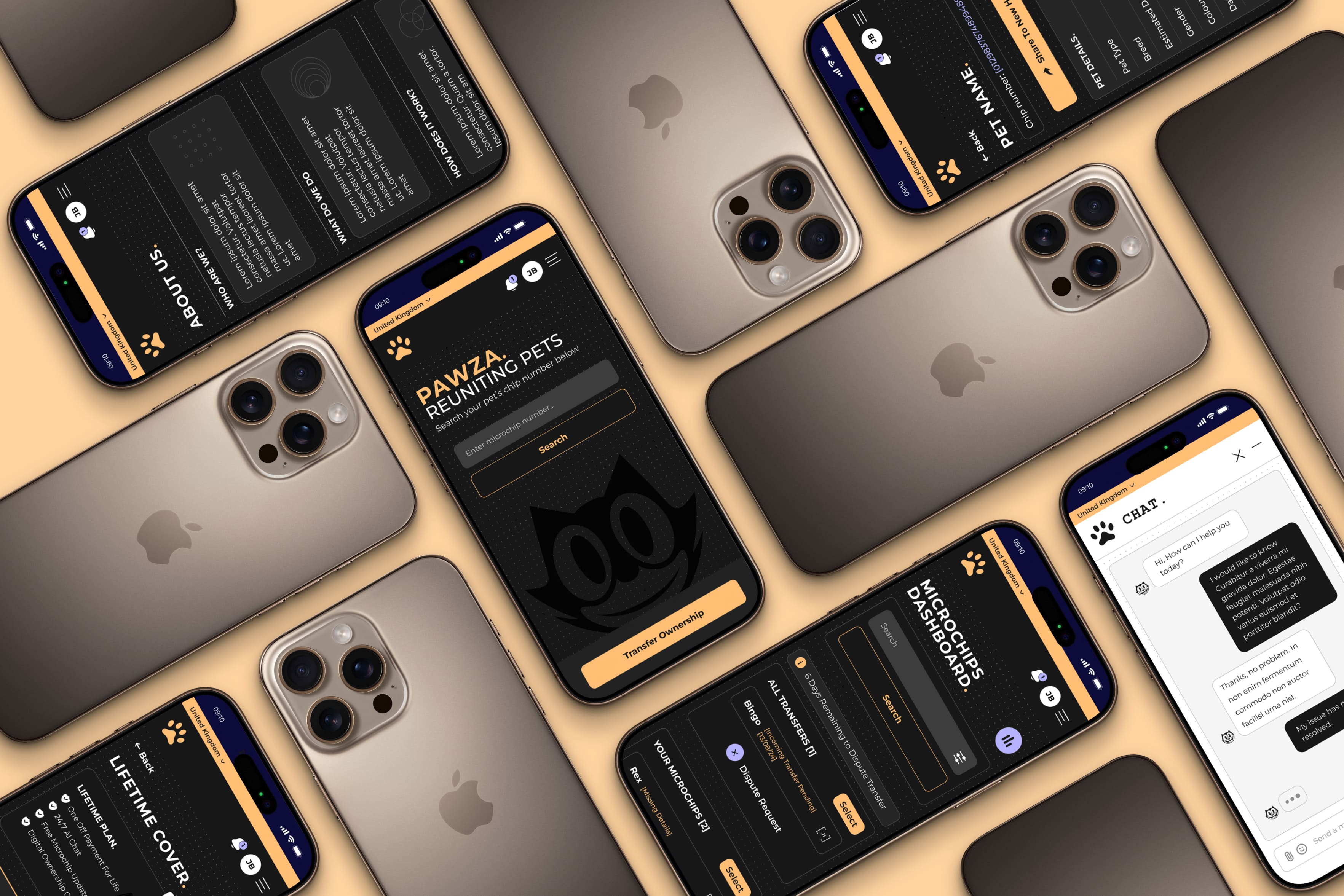
[ Final UI Mockups ]
View Prototype →
View Prototype